See the Keyword and Performance Signals That Matter
Track Apple Search Ads campaigns with keyword-level insight, search term trends, and conversion data so you can spot what to scale, pause, or regroup.
800M+
App Store Visitors
Weekly
60%
Growth in Downloads
Conversion
500+
Apps Tracked
Track the Keyword Signals Behind Every Install
SearchVector helps you read Apple Search Ads performance with keyword-level visibility, campaign trend analysis, and conversion insights.
Use it to compare search terms, spot changes over time, and understand which campaigns or keywords deserve more budget. It is built for analytics, not just raw account summaries.
Keyword-Level Analytics
Track individual keyword performance with tap, install, and efficiency data for each search term.
Trend Analysis
Compare performance over time so you can see what changed after a bid, creative, or targeting update.
Search Term Insights
Review the queries that triggered your ads and use that context to refine targeting.
Reporting Views
Summarize performance for teams or clients with a clearer picture of where spend is working.
How SearchVector Reads Apple Search Ads
Connect your account and turn campaign data into keyword insights
Connect Apple Search Ads
Use secure OAuth to connect your account and pull in campaign data.
Review Keyword Performance
See which search terms, ad groups, and placements are generating taps and installs.
Act on the Insights
Adjust bids, refine targeting, and reallocate spend based on the patterns you find.
Apple Search Ads Placement Analytics
See how SearchVector helps compare performance across Apple Search Ads surfaces
Search Results
Capture high-intent users who are actively looking for an app like yours
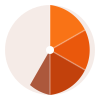
60% CONVERSIONToday Tab
Track visibility at the top of the App Store experience
45% CONVERSIONSearch Tab
Measure discovery from broader App Store browsing behavior
38% CONVERSIONProduct Pages
Compare how ads perform next to related apps and similar audiences
32% CONVERSIONHow Apps Use SearchVector Analytics
Common Apple Search Ads questions this page helps answer
FitTrack Pro
Health & Fitness
+571%
ROAS lift
LearnCode
Education
+234%
Install growth
BudgetWise
Finance
-43%
Cost per install
Apple Search Ads Analytics Features
What SearchVector helps you see beyond Apple's default reporting
Keyword Performance Tracking
Track performance by keyword so you can see which terms are worth more budget.
Historical Trend Views
Compare performance over time to understand the effect of changes in bids, targeting, or creative.
Search Term Breakdown
Review query patterns to refine targeting and find more efficient audiences.
Efficiency Monitoring
Watch tap, install, and cost trends so you can spot when performance starts to drift.
Cost-Per-Install Context
See how efficiency changes across keywords, placements, and campaigns.
Multi-Account Views
Keep all of your apps and accounts in one place for faster reporting and review.
What We Show vs Apple's Dashboard
The analytics gaps SearchVector fills for Apple Search Ads
| Feature | SearchVector | Apple Ads Reporting |
|---|---|---|
| Keyword-level performance tracking | ||
| Historical trend analysis | ||
| Placement breakdowns | ||
| Search term insights | ||
| Cost-per-install context |
Apple Search Ads Analytics Questions Answered
How to track Apple Search Ads performance with clearer keyword insight